MT5 / 028
Multiple moving-average groups
Overview
Multiple moving-average groups · MT5
Platform: MetaTrader 5 · Main chart
- Calculation period: the number of bars used by the indicator.
- Smoothing: selects the averaging method.
- Chart text: shows or hides indicator values and labels.
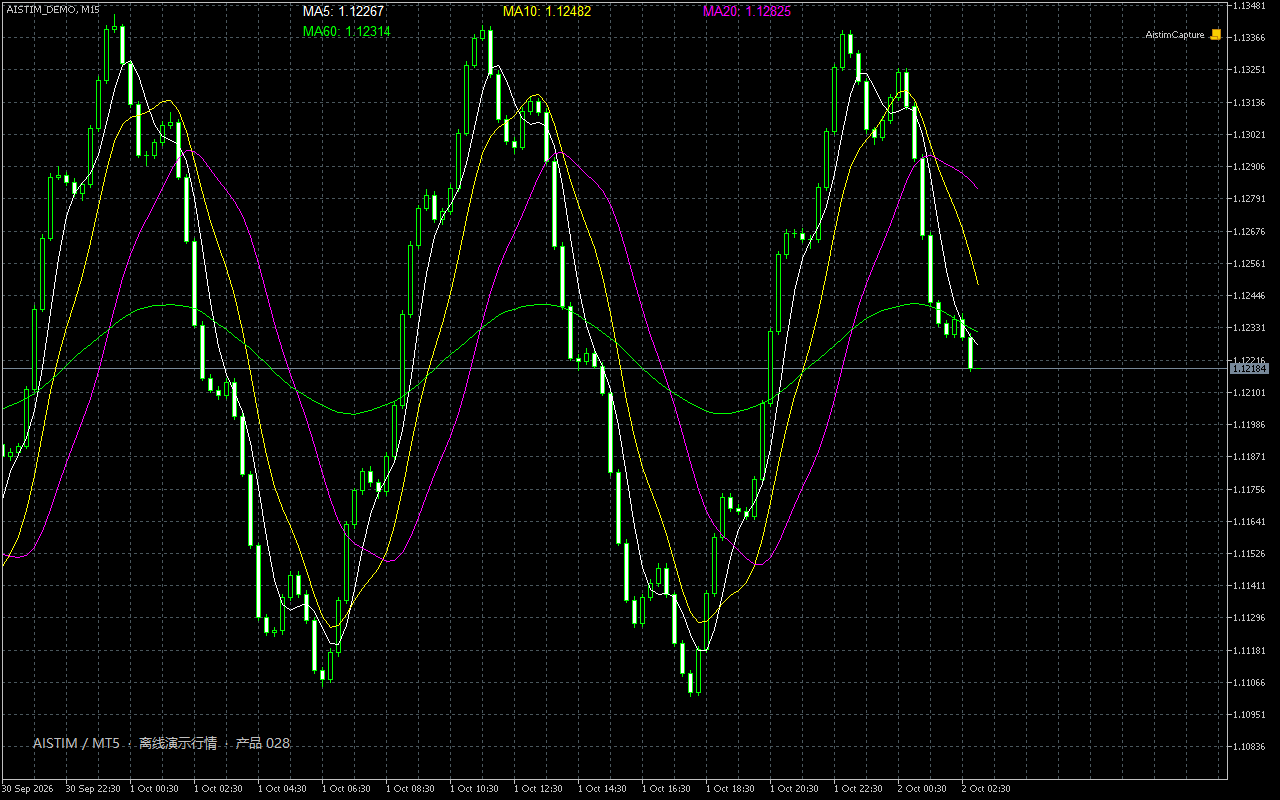
1. Indicator in use
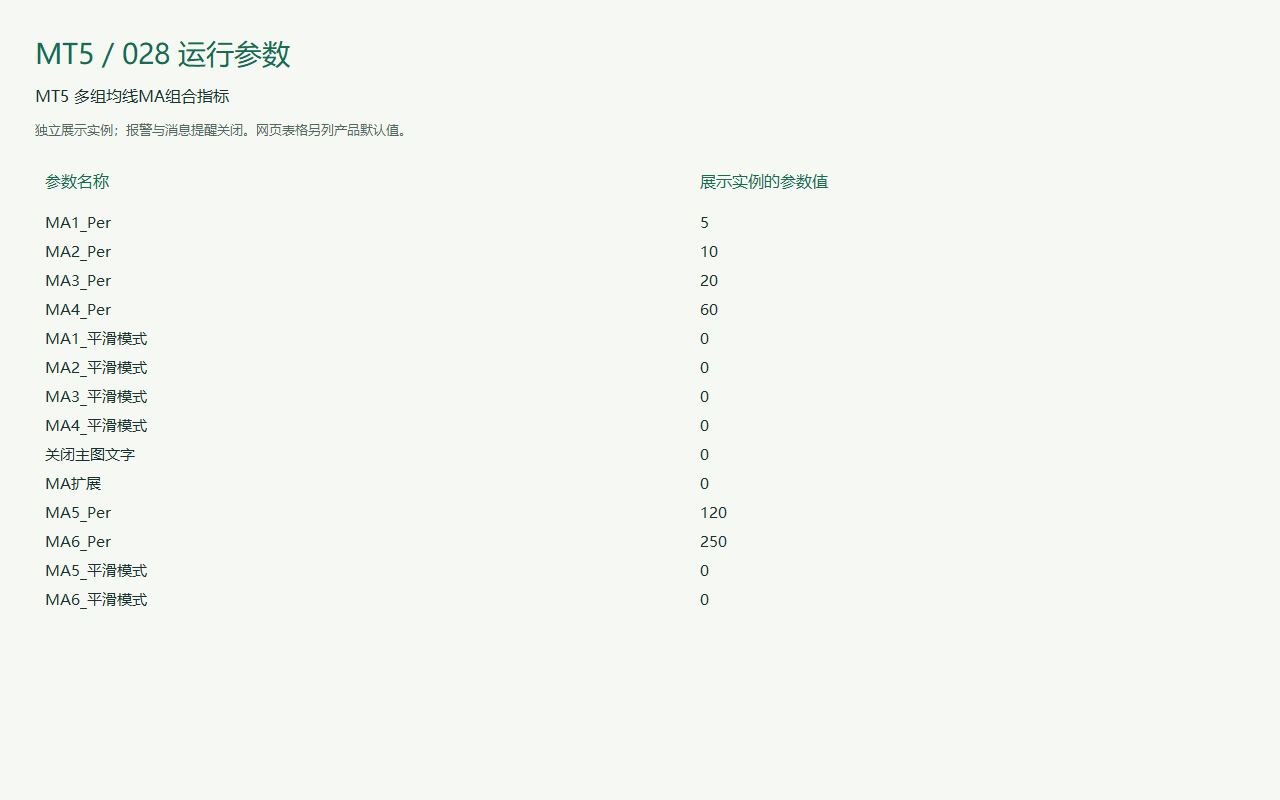
2. Parameter settings
| Parameter | Default | How to use |
|---|---|---|
| MA1 Per | Default5 | How to useCalculation period: the number of bars used by the indicator. |
| MA2 Per | Default10 | How to useCalculation period: the number of bars used by the indicator. |
| MA3 Per | Default20 | How to useCalculation period: the number of bars used by the indicator. |
| MA4 Per | Default60 | How to useCalculation period: the number of bars used by the indicator. |
| MA1 Smoothing method | DefaultMODE_SMA | How to useSmoothing: selects the averaging method. |
| MA2 Smoothing method | DefaultMODE_SMA | How to useSmoothing: selects the averaging method. |
| MA3 Smoothing method | DefaultMODE_SMA | How to useSmoothing: selects the averaging method. |
| MA4 Smoothing method | DefaultMODE_SMA | How to useSmoothing: selects the averaging method. |
| Hide chart text | DefaultDisabled | How to useChart text: shows or hides indicator values and labels. |
| Parameter · Calculation period | DefaultDisabled | How to useCalculation period: the number of bars used by the indicator. |
| MA5 Per | Default120 | How to useCalculation period: the number of bars used by the indicator. |
| MA6 Per | Default250 | How to useCalculation period: the number of bars used by the indicator. |
| MA5 Smoothing method | DefaultMODE_SMA | How to useSmoothing: selects the averaging method. |
| MA6 Smoothing method | DefaultMODE_SMA | How to useSmoothing: selects the averaging method. |
Installation and use
Place the indicator file in the terminal’s MQL4 / MQL5 → Indicators folder, refresh Navigator, then drag it onto a chart.
MT5 · Indicators
Ask for pricing
Indicator file delivery with installation and usage guidance.
Ask about this productTelegram
@alonginchinaPhone
+86 130 5817 0665