MT4 / 002
Main-chart mirrored candlesticks
Overview
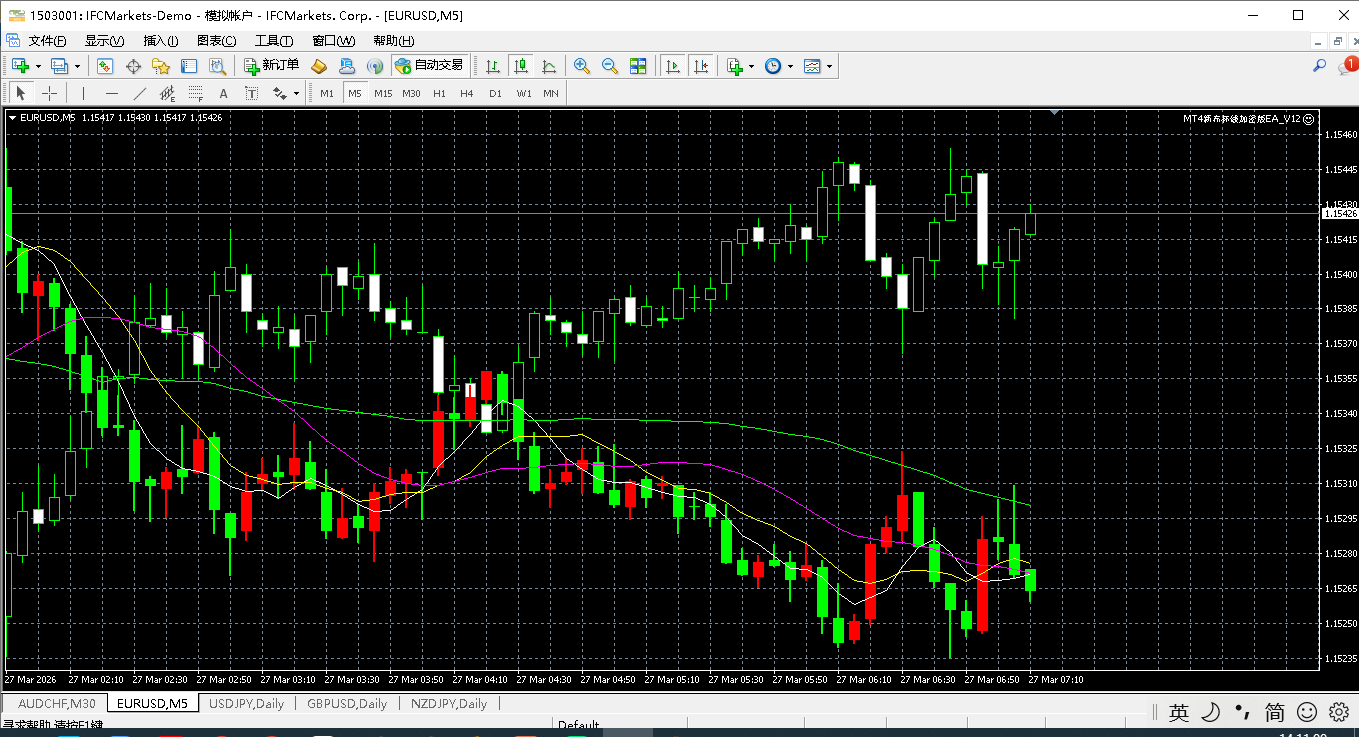
Displays mirrored candlesticks directly in the main chart, together with four mirrored moving averages. An adjustable alignment lookback controls the reference range used to position the inverted display.
Platform: MetaTrader 4 · Main chart
- Adjustable alignment lookback: default 100.
- Four independently configurable mirrored moving averages with a show/hide switch.
- Candle-body and wick widths can be adjusted for the chart display.
When to use it
Choose this edition when you prefer the inverted candle view in the main chart rather than a separate pane. Use the alignment range, moving-average display switch and candle widths to adapt the view to your chart.
1. Indicator in use
2. Parameter settings
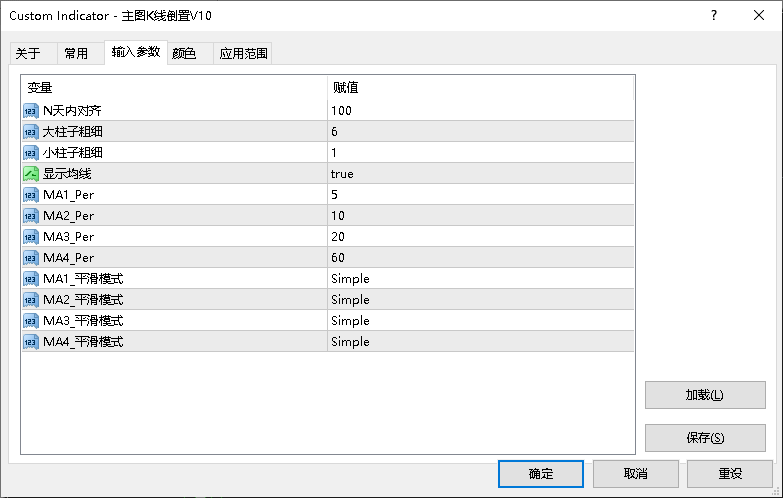
| Parameter | Default | How to use |
|---|---|---|
| Alignment lookback | Default100 | How to useAlignment range: historical reference range for the mirrored chart. |
| Show moving averages | Default— | How to useMoving-average display: show or hide the chart’s moving averages. |
| MA1 - MA4 Period | Default— | How to useCalculation period: the number of bars used by the indicator. |
| Body and wick width | Default— | How to useLine or bar width: adjust to suit your chart and screen. |
Installation and use
Place the indicator file in the terminal’s MQL4 / MQL5 → Indicators folder, refresh Navigator, then drag it onto a chart.
MT4 · Indicators
¥20.00
Indicator file delivery with installation and usage guidance.
Ask about this productTelegram
@alonginchinaPhone
+86 130 5817 0665