MT5-045 · MT5
ER + KAMA Dual-Window Indicator · MT5
Overview
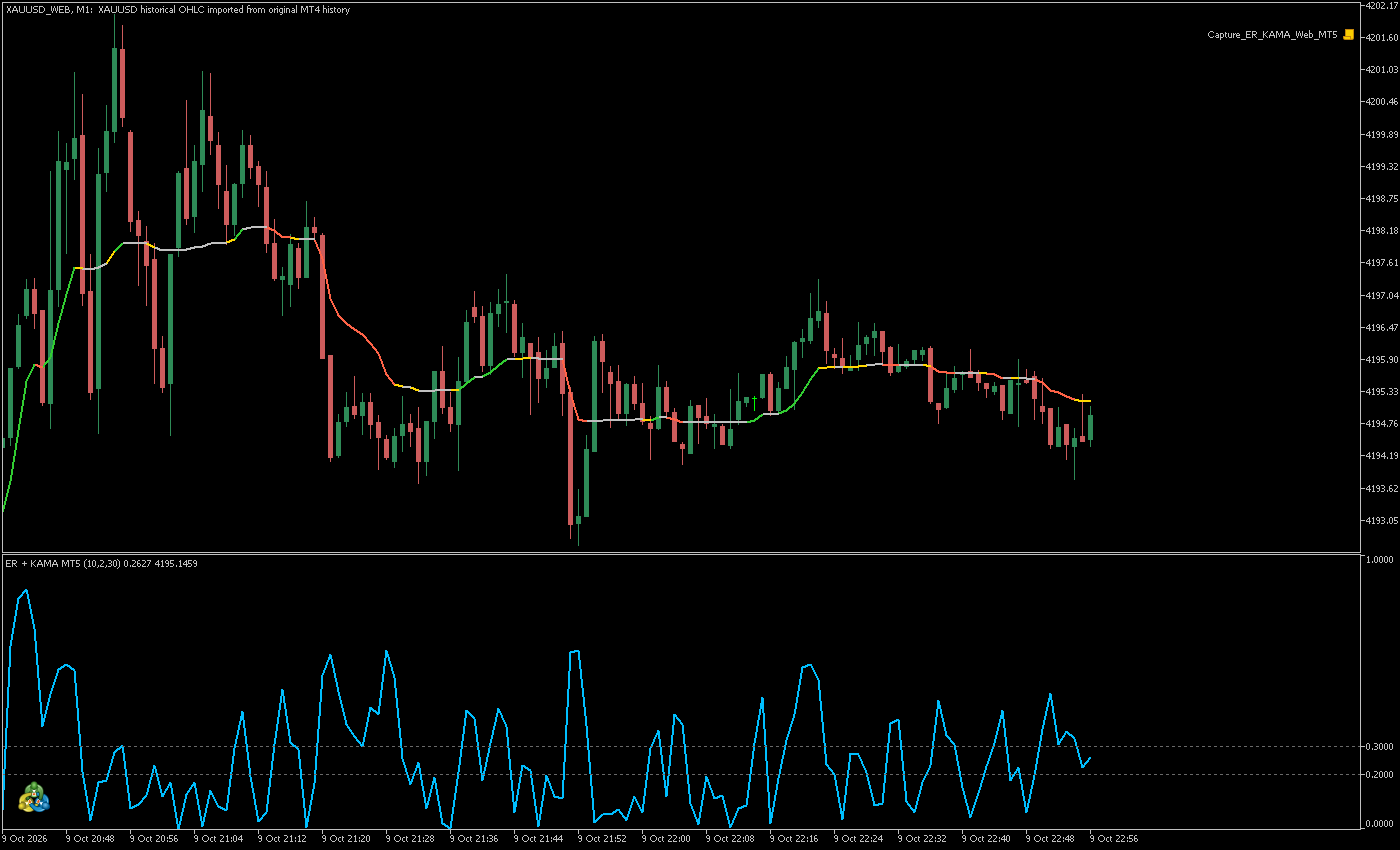
Adaptive KAMA on the main chart and the ER efficiency ratio in a subwindow, attached once. Customize state colors, periods and applied price.
KAMA adapts its smoothing to ER. ER measures directional efficiency from 0 to 1. This indicator supports chart analysis and does not place orders.
1. Indicator in use
2. Parameter settings
| Parameter | Default | How to use |
|---|---|---|
| InpERPeriod | Default 10 | How to use ER calculation period |
| InpFastPeriod | Default 2 | How to use Fast KAMA period; must be below the slow period |
| InpSlowPeriod | Default 30 | How to use Slow KAMA period |
| InpPrice | Default PRICE_CLOSE | How to use Applied price; close by default |
| InpLowLevel | Default 0.20 | How to use Low efficiency threshold |
| InpHighLevel | Default 0.30 | How to use High threshold; must exceed the low threshold |
| InpERColor | Default DeepSkyBlue | How to use ER subwindow line color |
| InpERWidth | Default 2 | How to use ER line width, 1–5 |
| InpColorByER | Default true | How to use Color the main-chart KAMA by ER state |
| InpUpColor | Default LimeGreen | How to use High efficiency with rising KAMA |
| InpDownColor | Default Tomato | How to use High efficiency with falling KAMA |
| InpMiddleColor | Default Gold | How to use Medium efficiency color |
| InpLowColor | Default Silver | How to use Low efficiency, or flat KAMA at high efficiency |
| InpKAMAColor | Default Orange | How to use Fixed KAMA color when state coloring is off |
| InpKAMAWidth | Default 2 | How to use KAMA line width, 1–5 |
| InpShowStatus | Default true | How to use Show status text |
| InpStatusX | Default 12 | How to use Horizontal status offset in pixels |
| InpStatusY | Default 24 | How to use Vertical status offset in pixels |
| InpMaxSegments | Default 3000 | How to use Maximum main-chart KAMA segments, 50–20000 |
Installation and use
Place the indicator file in the terminal’s MQL4 / MQL5 → Indicators folder, refresh Navigator, then drag it onto a chart.
Free Chinese and English manuals
Both PDFs cover MT4 and MT5: installation, all 19 inputs, colors and troubleshooting. Download free, without a purchase or sign-in.
Total downloads · 简体中文: Loading…
English user manual · Free PDF ↓
Total downloads · English: Loading…
Counts file download requests, including repeated downloads.
¥20.00
Indicator file delivery with installation and usage guidance.
Ask about this productTelegram
@alonginchinaPhone
+86 130 5817 0665