MT5-025 · MT5
แจ้งเตือนความต่างทิศทาง Stochastic
รุ่น MT5 ของ «แจ้งเตือนความต่างทิศทาง Stochastic»: ภาพหน้าจอโปรแกรม พารามิเตอร์ และการติดตั้ง โปรดยืนยันรุ่น ความเข้ากันได้ ราคา และรายการส่งมอบก่อนซื้อ
ภาพหน้าจอโปรแกรม
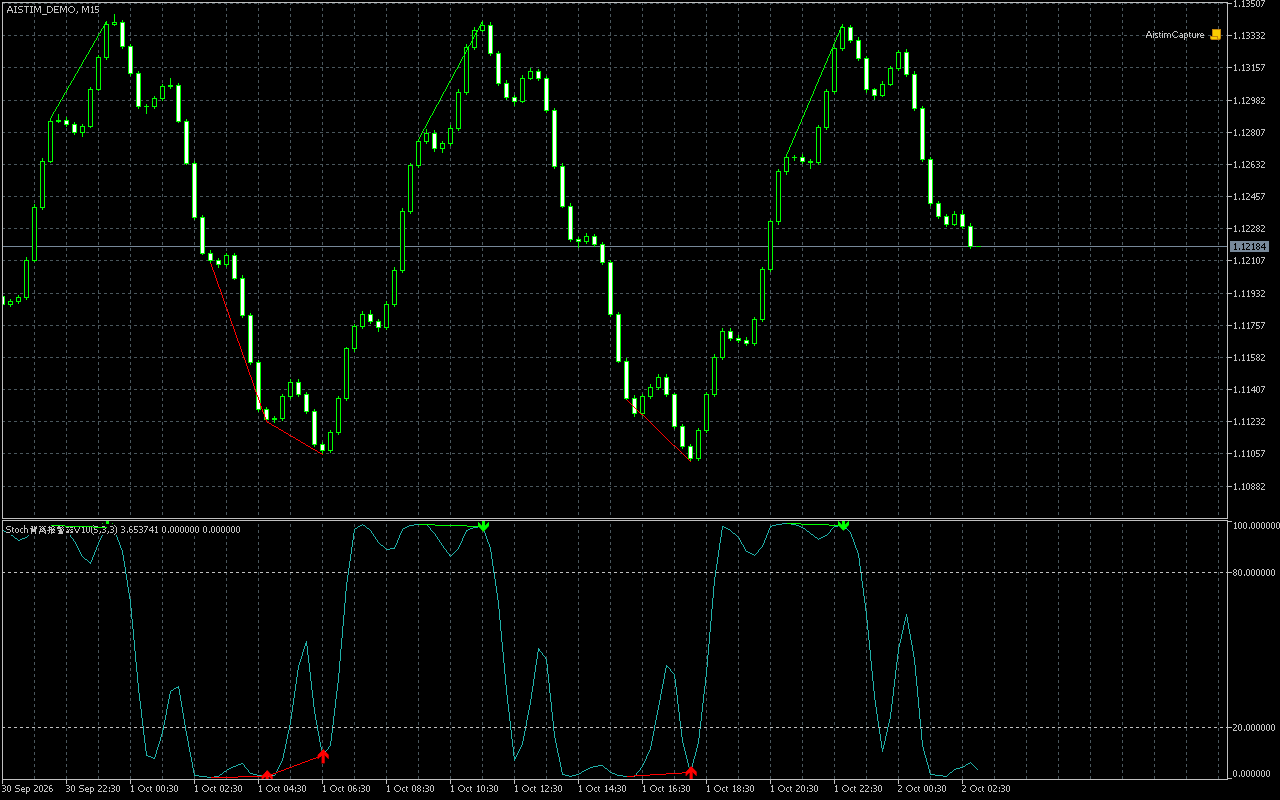
พารามิเตอร์
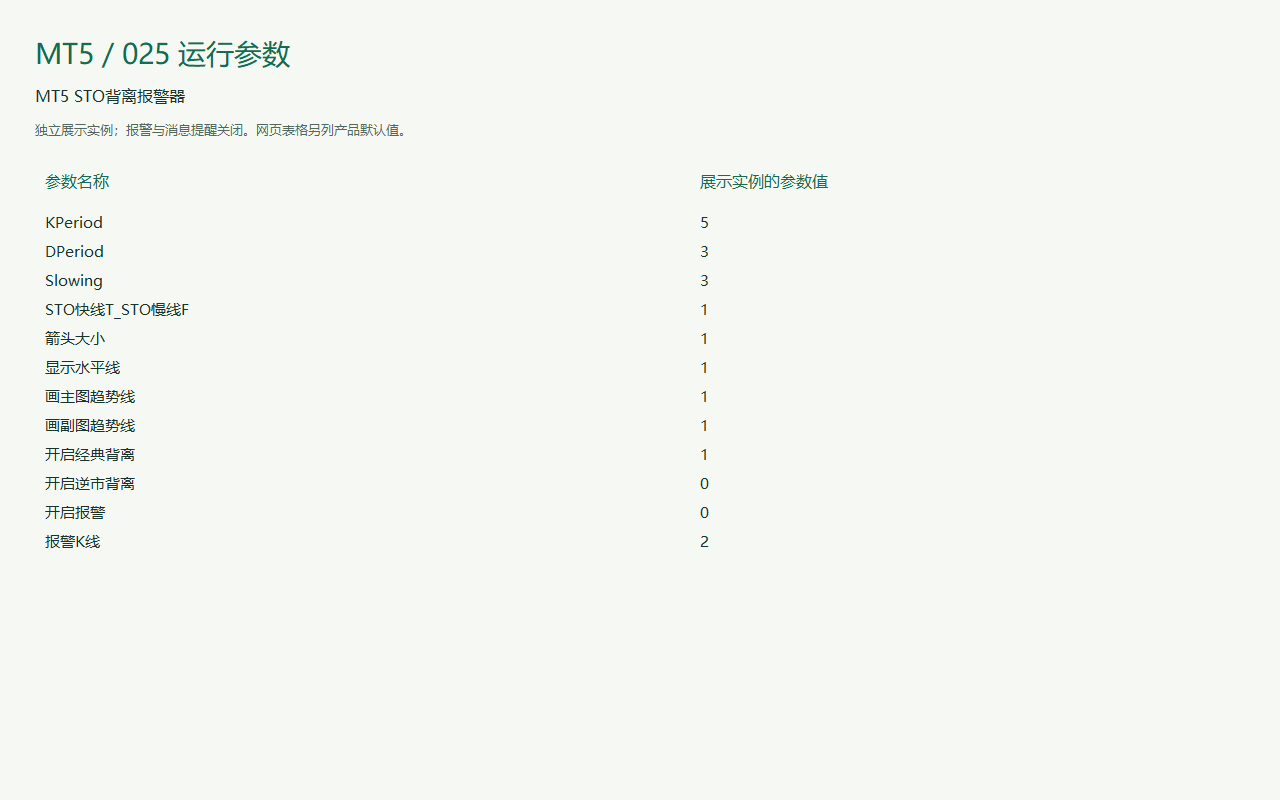
พารามิเตอร์
ชื่อพารามิเตอร์และค่าในตารางคงตามโปรแกรมเพื่อเทียบกับหน้าต่างตั้งค่า ภาพอาจแสดงการตั้งค่าสาธิต โปรดยืนยันค่าของผลิตภัณฑ์ก่อนซื้อ
| ชื่อพารามิเตอร์ในโปรแกรม | ค่าเริ่มต้น |
|---|---|
| Default 5 | How to use Calculation period: the number of bars used by the indicator. |
| Default 3 | How to use Calculation period: the number of bars used by the indicator. |
| Default 3 | How to use Calculation period: the number of bars used by the indicator. |
| Default Enabled | How to use Calculation period: the number of bars used by the indicator. |
| Default 1 | How to use Arrow display: size, distance or visibility of signal markers. |
| Default Enabled | How to use Calculation period: the number of bars used by the indicator. |
| Default Enabled | How to use Divergence display: controls divergence types, markers and trend lines. |
| Default Enabled | How to use Divergence display: controls divergence types, markers and trend lines. |
| Default Enabled | How to use Divergence display: controls divergence types, markers and trend lines. |
| Default Disabled | How to use Divergence display: controls divergence types, markers and trend lines. |
| Default Enabled | How to use Notification switch: controls alerts, popups or email. Email requires terminal configuration. |
| Default 2 | How to use Alert bar: 0 is the current bar; 1 is the previous closed bar. |
การติดตั้งและใช้งาน
ใน MetaTrader เลือก File → Open Data Folder วางไฟล์ใน MQL4 หรือ MQL5 → Indicators สำหรับอินดิเคเตอร์ หรือ Experts สำหรับ EA รีเฟรช Navigator และทดสอบในบัญชีทดลองก่อน
ติดต่อ
ติดต่อผ่านโทรศัพท์ WeChat, QQ, อีเมล หรือ Telegram โปรดระบุผลิตภัณฑ์และแพลตฟอร์มเพื่อให้ตอบได้ตรงความต้องการ
ปรึกษาโครงการ