MT5-014 · MT5
Peringatan badan candle Bollinger
Versi MT5 dari «Peringatan badan candle Bollinger»: tangkapan layar program, parameter yang tersedia dan pemasangan. Konfirmasikan edisi, kompatibilitas, harga dan penyerahan sebelum membeli.
Tangkapan layar program
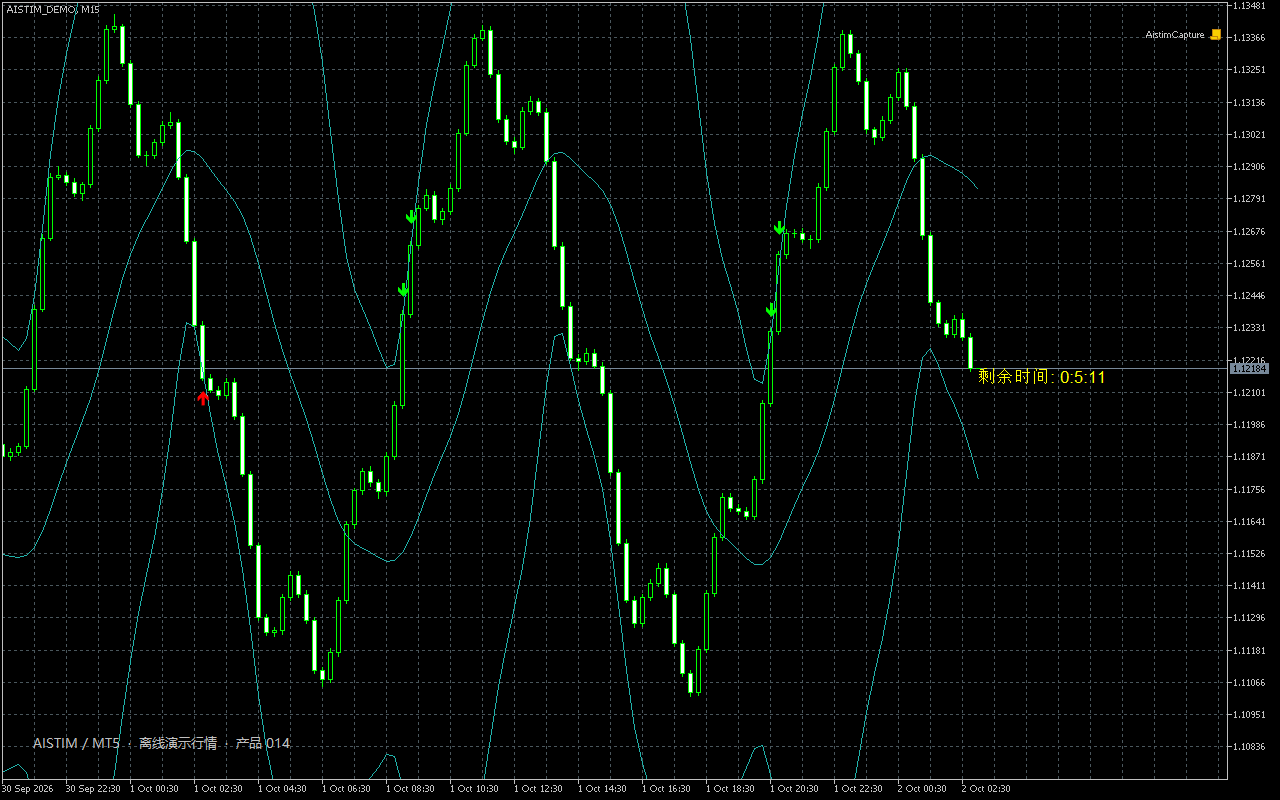
Parameter
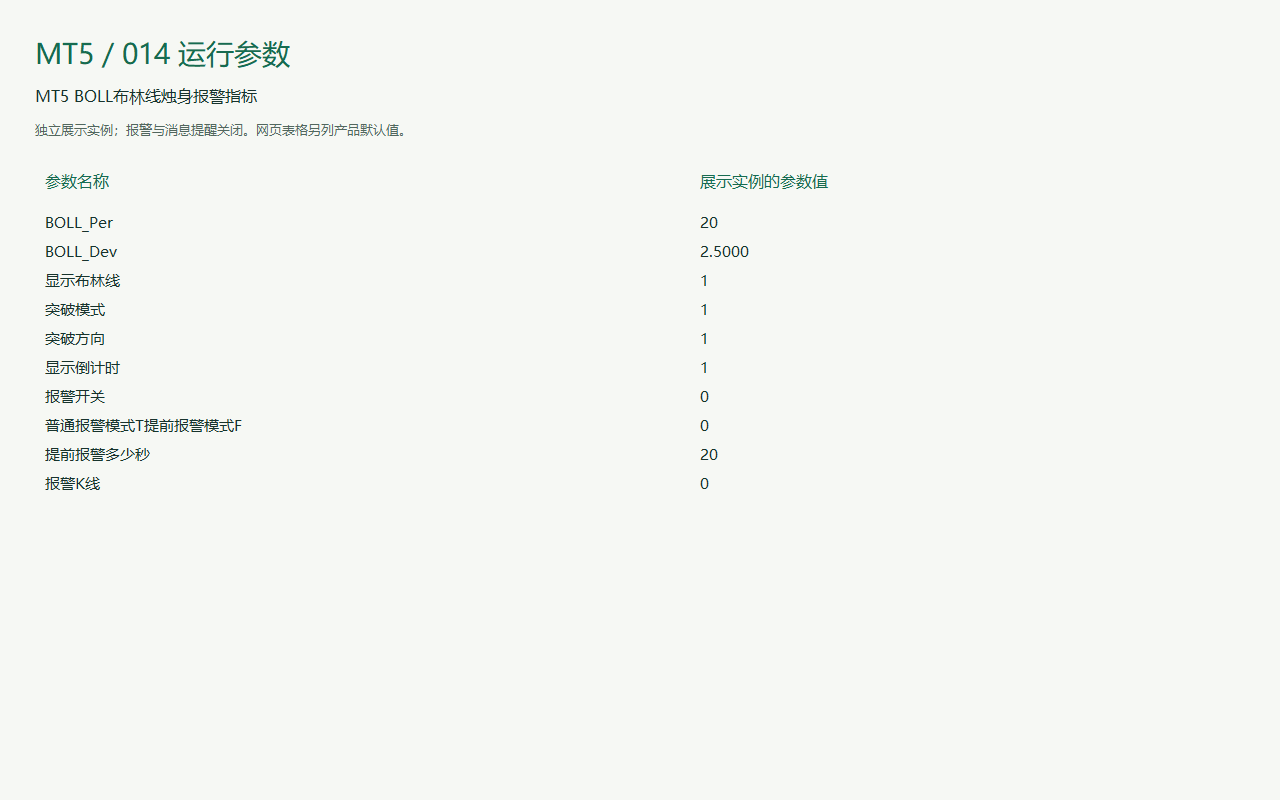
Parameter
Pengenal dan nilai dalam tabel mempertahankan nama dalam program agar dapat dicocokkan dengan jendela parameter. Gambar dapat menampilkan pengaturan demonstrasi; konfirmasikan nilai versi produk sebelum membeli.
| Pengenal parameter | Nilai bawaan |
|---|---|
| Default 20 | How to use Calculation period: the number of bars used by the indicator. |
| Default 2.5 | How to use Calculation period: the number of bars used by the indicator. |
| Default Enabled | How to use Calculation period: the number of bars used by the indicator. |
| Default Enabled | How to use Breakout mode: choose candle-body breakout or wick touch. |
| Default Enabled | How to use Calculation period: the number of bars used by the indicator. |
| Default Enabled | How to use Timing: countdown or advance-notification interval in seconds. |
| Default Enabled | How to use Notification switch: controls alerts, popups or email. Email requires terminal configuration. |
| Default Enabled | How to use Notification switch: controls alerts, popups or email. Email requires terminal configuration. |
| Default 20 | How to use Timing: countdown or advance-notification interval in seconds. |
| Default 0 | How to use Alert bar: 0 is the current bar; 1 is the previous closed bar. |
Pemasangan dan penggunaan
Di MetaTrader, buka File → Open Data Folder. Tempatkan file pada MQL4 atau MQL5 → Indicators untuk indikator, atau Experts untuk EA. Segarkan Navigator dan uji terlebih dahulu pada akun demo.
Kontak
Hubungi kami melalui telepon, WeChat, QQ, email atau Telegram. Sebutkan produk dan platform agar pertanyaan Anda dapat dijawab dengan tepat.
Diskusikan proyek