MT5-019 · MT5
रंग बदलता मूविंग एवरेज
«रंग बदलता मूविंग एवरेज» का MT5 संस्करण: प्रोग्राम स्क्रीनशॉट, उपलब्ध पैरामीटर और इंस्टॉलेशन। खरीदने से पहले संस्करण, अनुकूलता, कीमत और डिलीवरी की पुष्टि करें।
प्रोग्राम का स्क्रीनशॉट
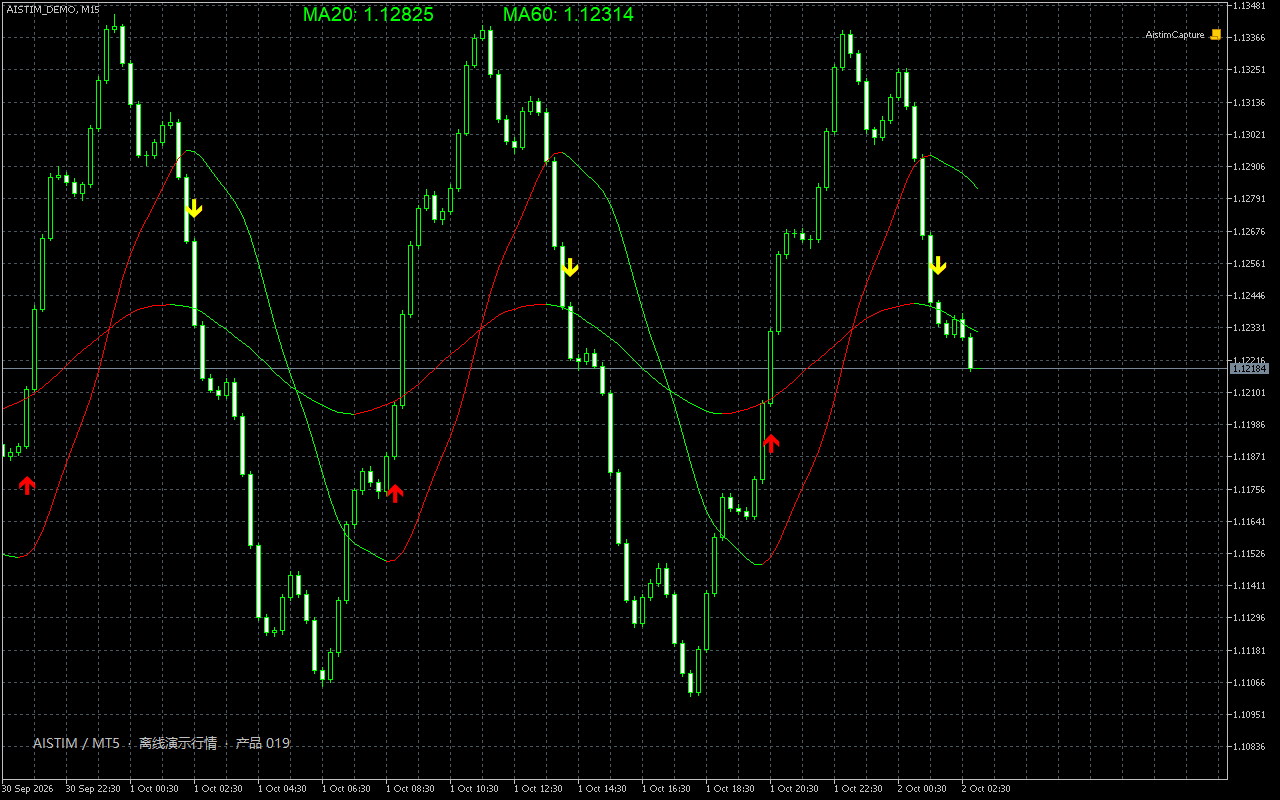
पैरामीटर
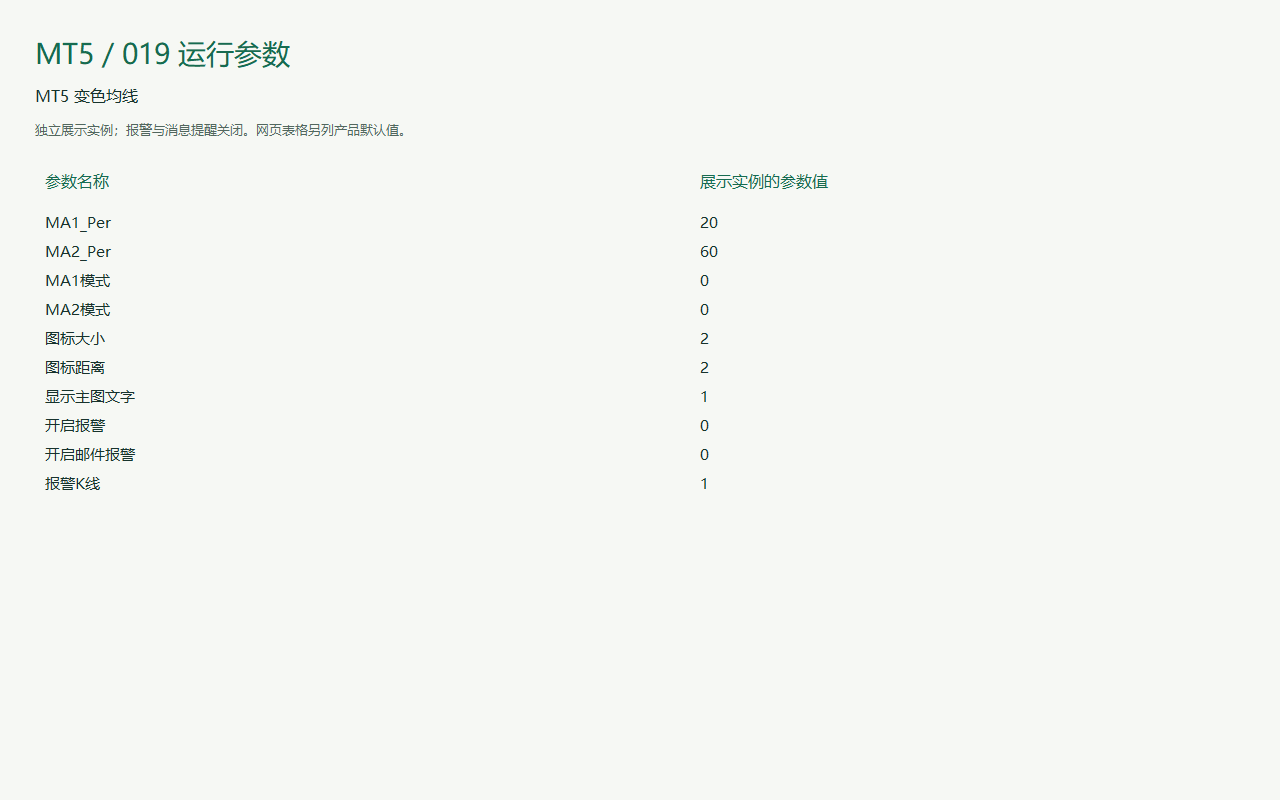
पैरामीटर
तालिका में पैरामीटर के नाम और मान प्रोग्राम के अनुसार रखे गए हैं ताकि सेटिंग विंडो से तुलना कर सकें। स्क्रीनशॉट में डेमो सेटिंग हो सकती है; खरीदने से पहले उत्पाद के मान की पुष्टि करें।
| प्रोग्राम में पैरामीटर का नाम | डिफ़ॉल्ट मान |
|---|---|
| Default 20 | How to use Calculation period: the number of bars used by the indicator. |
| Default 60 | How to use Calculation period: the number of bars used by the indicator. |
| Default MODE_SMA | How to use Smoothing: selects the averaging method. |
| Default MODE_SMA | How to use Smoothing: selects the averaging method. |
| Default 2 | How to use Line or bar width: adjust to suit your chart and screen. |
| Default 2 | How to use Threshold: sets a filtering or triggering level. |
| Default Enabled | How to use Chart text: shows or hides indicator values and labels. |
| Default Enabled | How to use Notification switch: controls alerts, popups or email. Email requires terminal configuration. |
| Default Enabled | How to use Notification switch: controls alerts, popups or email. Email requires terminal configuration. |
| Default 1 | How to use Alert bar: 0 is the current bar; 1 is the previous closed bar. |
इंस्टॉल और उपयोग
MetaTrader में File → Open Data Folder खोलें। इंडिकेटर को MQL4 या MQL5 → Indicators में, या EA को Experts में रखें। Navigator रीफ़्रेश करें और पहले डेमो खाते में परीक्षण करें।
संपर्क
फ़ोन, WeChat, QQ, ईमेल या Telegram से संपर्क करें। सटीक उत्तर के लिए उत्पाद और प्लेटफ़ॉर्म बताएँ।
प्रोजेक्ट पर बात करें