MT5-049 · v0.8.21 · Windows
CrossTrade Multi-Account Trade Copier · MT5
Product overview
Manage multiple trading accounts from a single Windows application, without running a desktop MT4 / MT5 terminal per account or attaching EAs. The MT4 and MT5 listings use the same CrossTrade client; choose the actual account platform when connecting.
Choose one source; other connected accounts become followers automatically. Each follower retains its own multiplier, forward/reverse direction and symbol mappings. View floating P/L, today's realized net result, positions and order mappings.
The EXE opens a local web management page. Closing the browser leaves the background service running. Connecting, saving settings or changing source does not start trading: manually confirm Start Copying.
Software screenshots
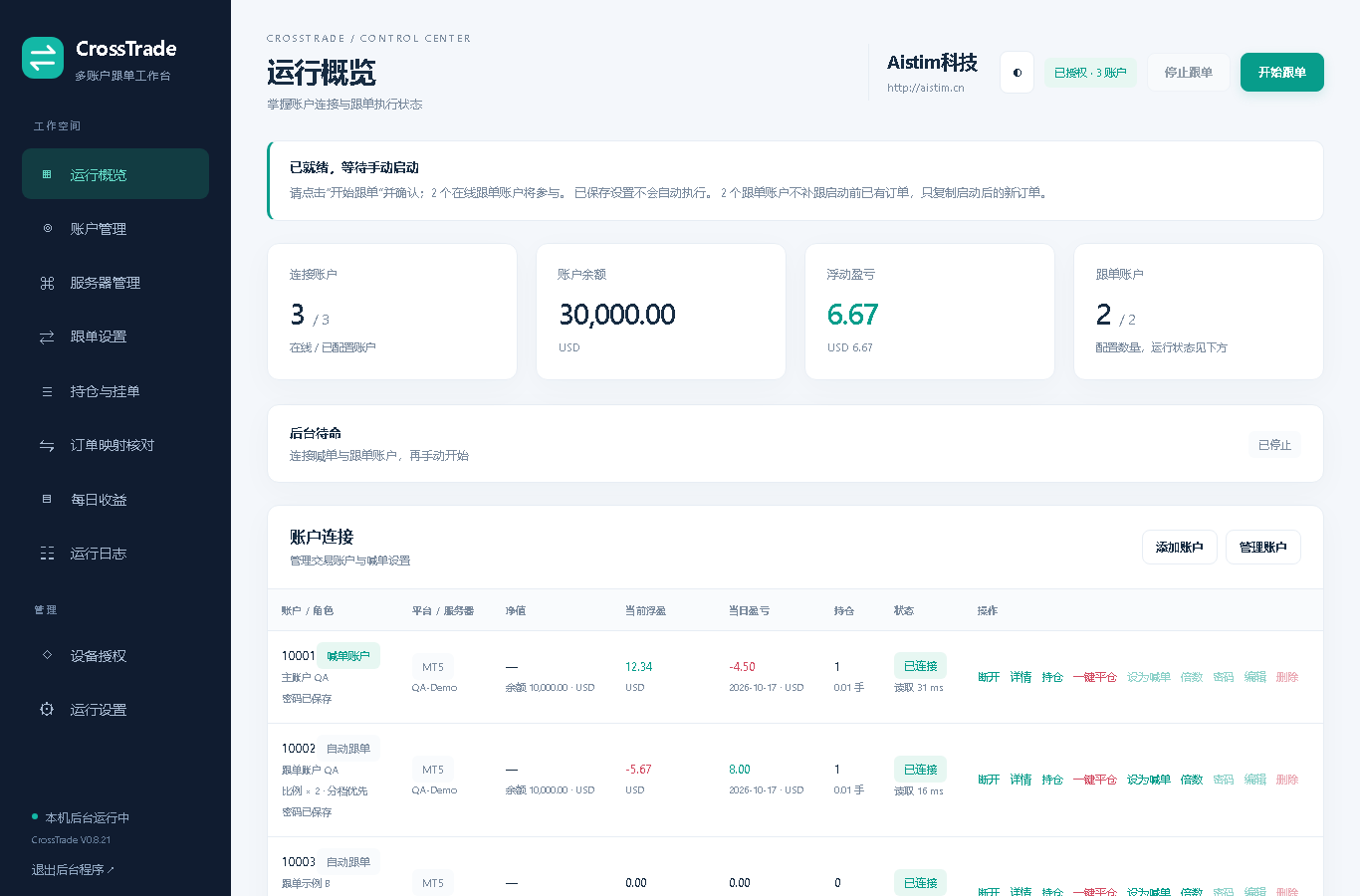
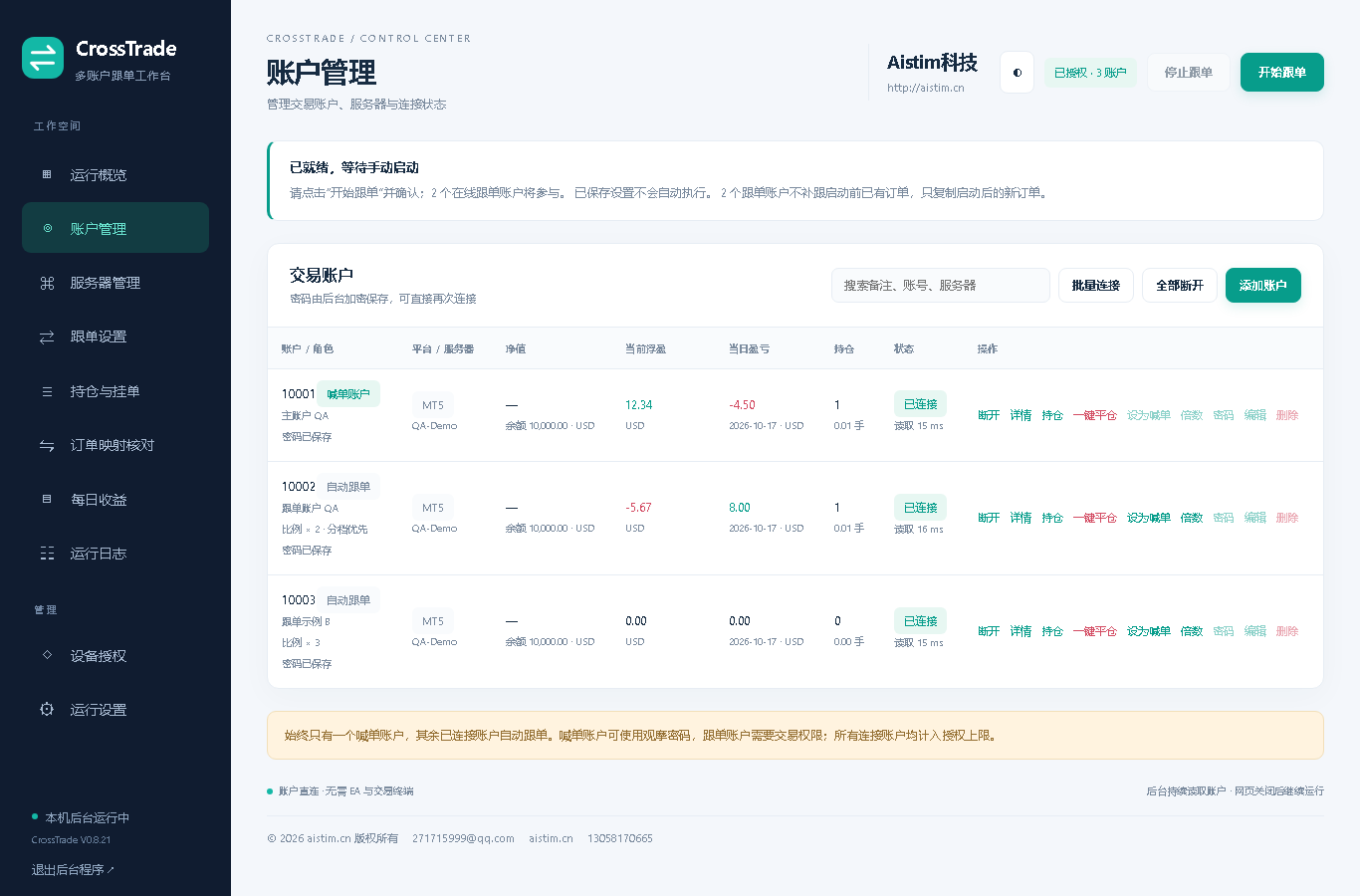
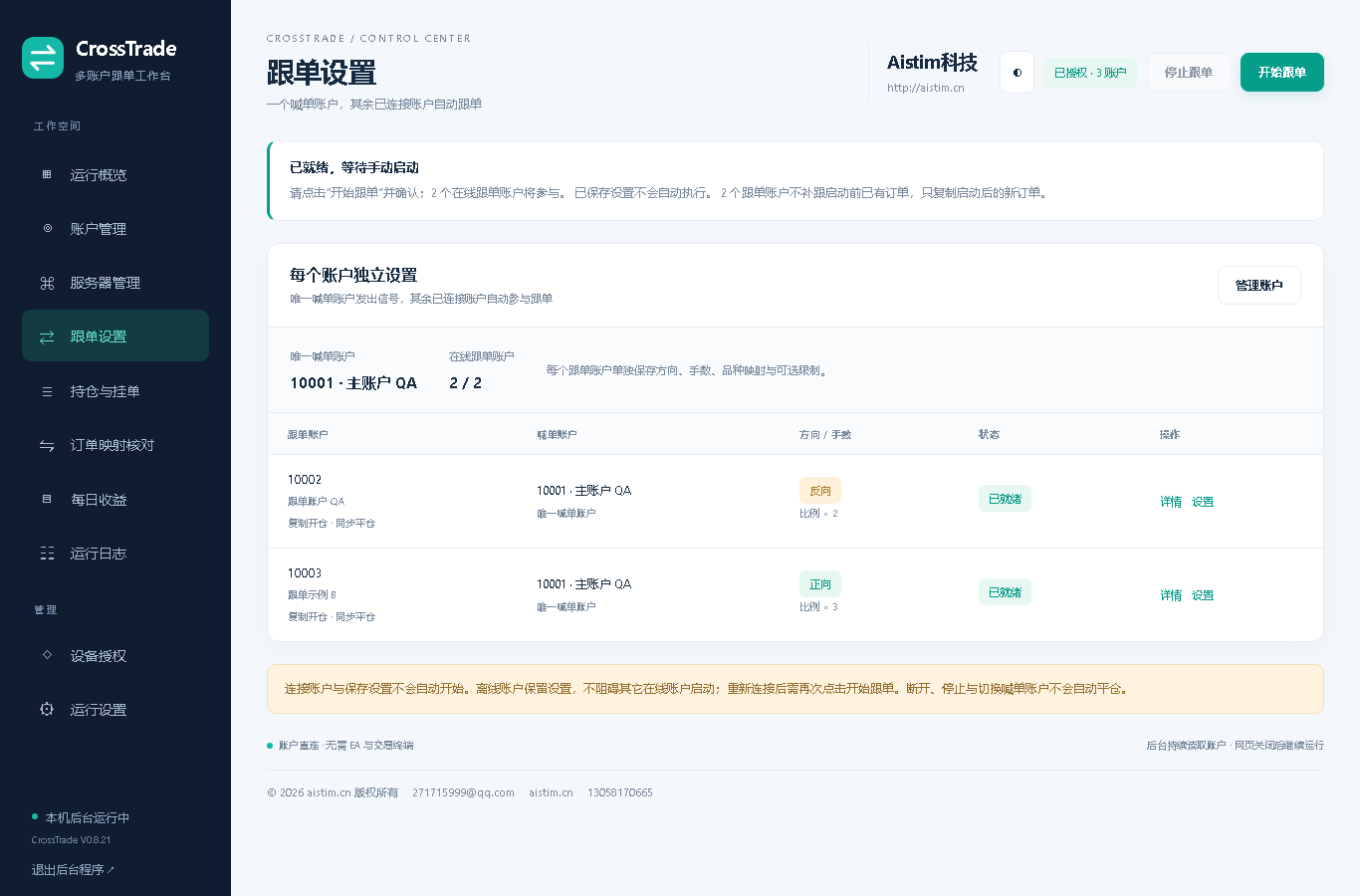
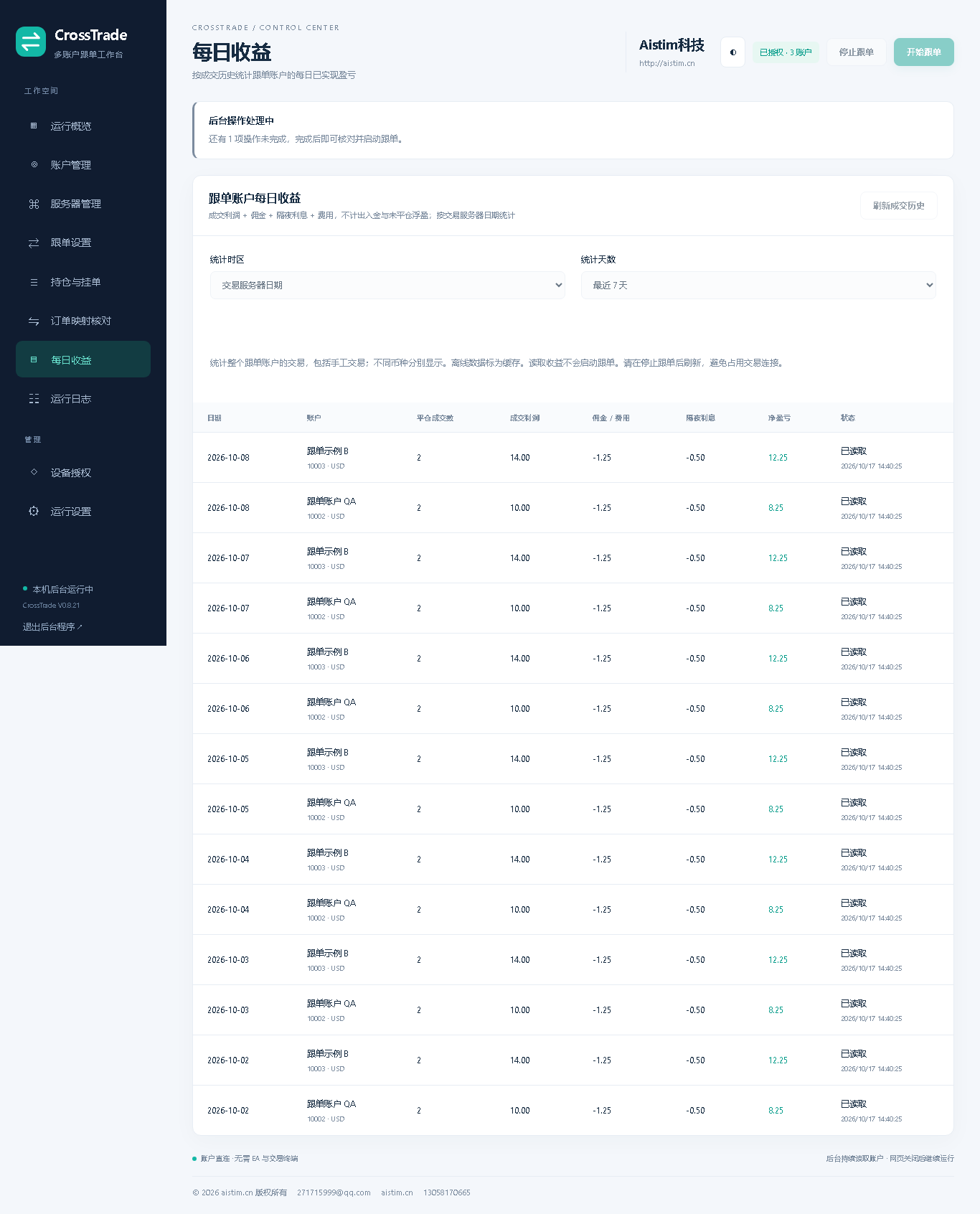
Features and settings
| Feature | Setting and behavior | Usage |
|---|---|---|
| Platform combinations | MT4 to MT4, MT5 to MT5, MT4 / MT5 cross-platform | MT5 followers require Hedging mode. |
| Copy direction | One source, automatic connected followers | Forward / reverse is independent per follower. |
| Volume | Proportional, fixed lots, balance ratio | Example: follower A 2x, B 3x; optional volume tiers. |
| Symbol mapping | XAUUSD=xauusdm | Case-sensitive; target broker specifications apply. |
| Order synchronization | Open, SL/TP, partial/full close and supported pending orders | Mappings survive restart; unknown results require reconciliation. |
| Account management | Broker search, encrypted saved passwords and batch connection | Depends on accessible compatible broker web endpoints. |
| Positions and results | Floating P/L, today's net result, daily history and per-account Close All | Today uses broker server dates; floating P/L is separate. |
| Defaults | All symbols, forward 1x, optional risk limits off | Existing settings are retained; always start manually. |
Installation and use
- Run CrossTradeDesk.exe, copy the machine ID and request a device license from support. Import the .ctlicense file.
- Search using part of a broker name, select the exact MT4 / MT5 server, and enter the trading login and password.
- Select the source, review follower sizing, direction, mapping and positions, then confirm Start Copying.
Before purchase, confirm broker, server, required account capacity, license term and connection support with AISTIM. Some interfaces and account modes are unsupported. Validate on demo first. Network and broker execution affect latency; millisecond execution is not guaranteed.
Free user manuals
No purchase or sign-in required. Each manual has 11 pages and covers the same MT4 / MT5 application.
¥999.00
Windows client plus a device-specific license and usage guidance. Confirm license term, account limit and server support before payment.
استفسر عن هذا المنتجTelegram
@alonginchinaالهاتف
+86 130 5817 0665البريد الإلكتروني
power.yang.china@gmail.com